HIMS - Appointment
A simple and efficient way to track doctor availability, schedule patient visits, and manage hospital appointments in real time.
Category
Healthcare
Client
-
Background
Context
Making hospital appointments easier to manage
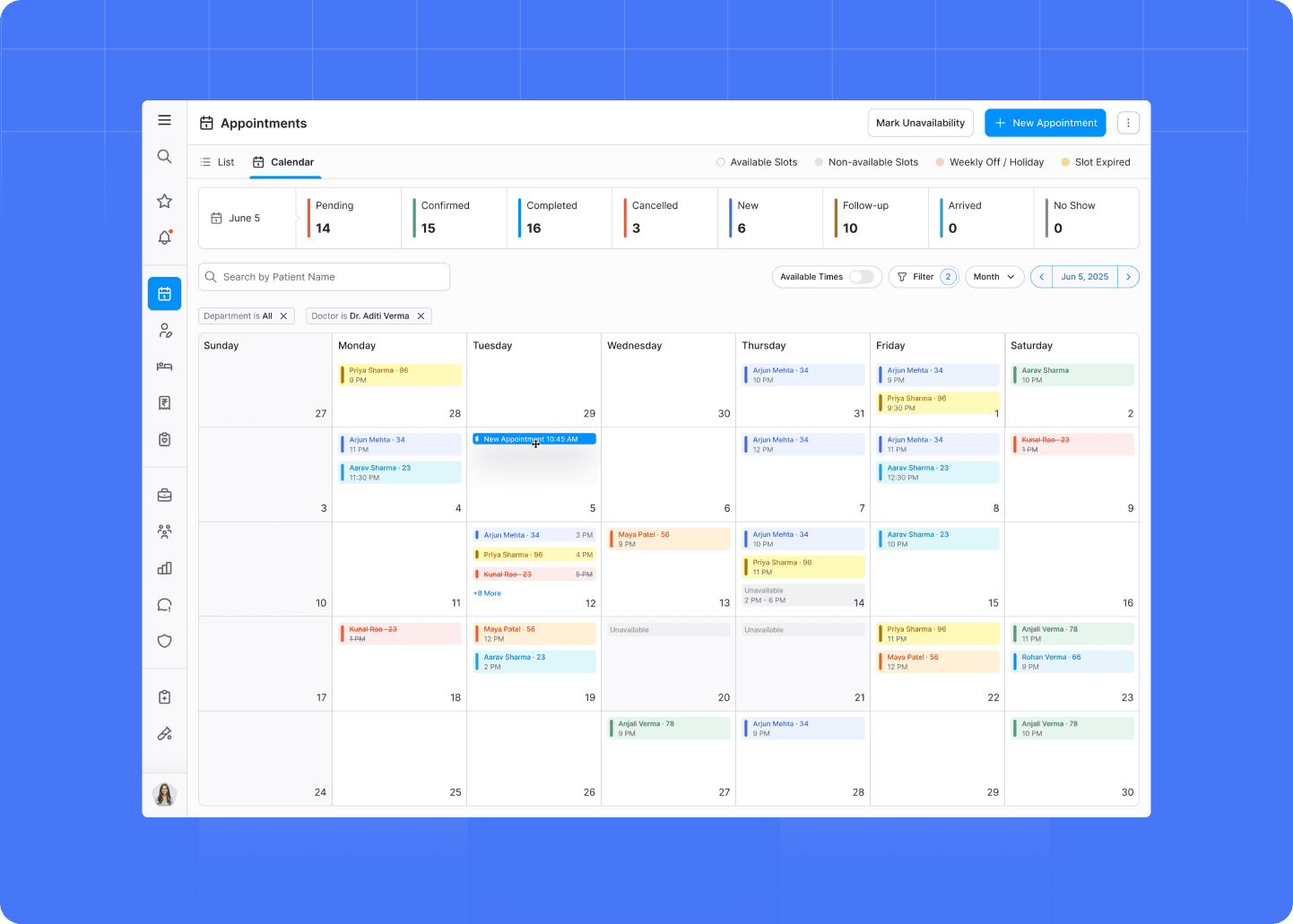
The HIMS Appointments module is designed to help hospital staff manage patient appointments, schedules, doctors, and availability from one organized workflow.
Appointment management can quickly become complicated when staff need to handle multiple doctors, time slots, patients, appointment statuses, and schedule changes throughout the day.
The goal was to create a clear scheduling experience that helps staff find availability, create appointments, and understand the current schedule at a glance.
The problem
Managing appointments shouldn't require navigating through multiple screens.
Hospital appointment workflows involve many moving parts — patient details, doctors, departments, dates, time slots, availability, and appointment status.
The existing experience made it difficult to quickly understand schedules and complete appointment-related tasks efficiently.
The challenge was to simplify the workflow while keeping all of the information staff need accessible.
Key challenges:
Finding available appointment slots quickly.
Managing different doctors and schedules.
Keeping patient information connected to appointments.
Making appointment statuses easy to understand.
Supporting rescheduling and updates.
Handling multiple appointments without creating visual clutter.
My role
Designing a clearer appointment management workflow.
I worked on the UX/UI design of the HIMS appointment experience, focusing on simplifying scheduling, improving information hierarchy, and creating reusable patterns that could work across different appointment states.
My responsibilities included:
Appointment user flows
Scheduling experience
Calendar and date selection
Doctor and department selection
Patient selection
Time-slot selection
Appointment status patterns
Rescheduling and update flows
Tables and appointment lists
Forms and validation
Reusable components
High-fidelity UI design
Prototyping
Tools: Figma · FigJam · Prototyping


Result
What I did
Designing a clearer path from patient selection to confirmed appointment.
We structured the appointment workflow around the information staff need at each step.
The experience makes it easier to select a patient, choose a doctor or department, find available slots, confirm the appointment, and manage changes afterward.
Key deliverables:
✓ Appointment dashboard
✓ Calendar and schedule views
✓ Patient selection flow
✓ Doctor and department selection
✓ Available time-slot experience
✓ Appointment creation flow
✓ Appointment status indicators
✓ Rescheduling workflow
✓ Appointment details
✓ Search and filtering
✓ Reusable appointment components
Key design decisions
01 — Show availability at the right moment.
Users shouldn't have to search through unnecessary information to find an available slot.
The scheduling experience was structured so availability becomes visible as users make their selections.
02 — Make appointment status easy to scan.
Appointments can move through different states during their lifecycle.
Clear status indicators help staff quickly understand whether an appointment is scheduled, completed, cancelled, or requires attention.
03 — Keep related information together.
Patient, doctor, department, date, and appointment details are closely connected.
The interface was designed to keep these pieces of information accessible together rather than forcing users to move between multiple screens.
04 — Reduce unnecessary scheduling steps.
Appointment creation was structured as a focused workflow where users can make the required selections without unnecessary navigation.
05 — Design for busy operational environments.
Hospital staff often need to manage appointments quickly and repeatedly.
The interface therefore prioritizes clear hierarchy, predictable actions, readable data, and efficient interactions.
Outcome
A more structured appointment management experience.
The redesigned appointment experience helps hospital staff manage schedules, patient appointments, and appointment statuses through a clearer and more predictable workflow.
The result is an appointment-management experience focused on speed, visibility, and operational clarity.
The impact:
Clear scheduling flow
From patient selection to confirmation
Visible availability
Faster slot selection
Clear status system
Easier appointment tracking
Reusable patterns
Consistent scheduling experience


